Quotation Tool CRM
Development Updates
Pricing-tab flexibility lands with Per Bottle / Total-per-Item cost modes and editable source pricing, an R&D formulator guard tightens the workflow, new list columns and a dosage filter sharpen visibility, and five fixes clean up counters, dropdowns, and issued-quote emails.
May 27 - June 2, 2026
New Features &
Enhancements
Pricing-tab input modes, editable source pricing, an R&D formulator guard, new ingredient-request columns, and a dosage type filter.
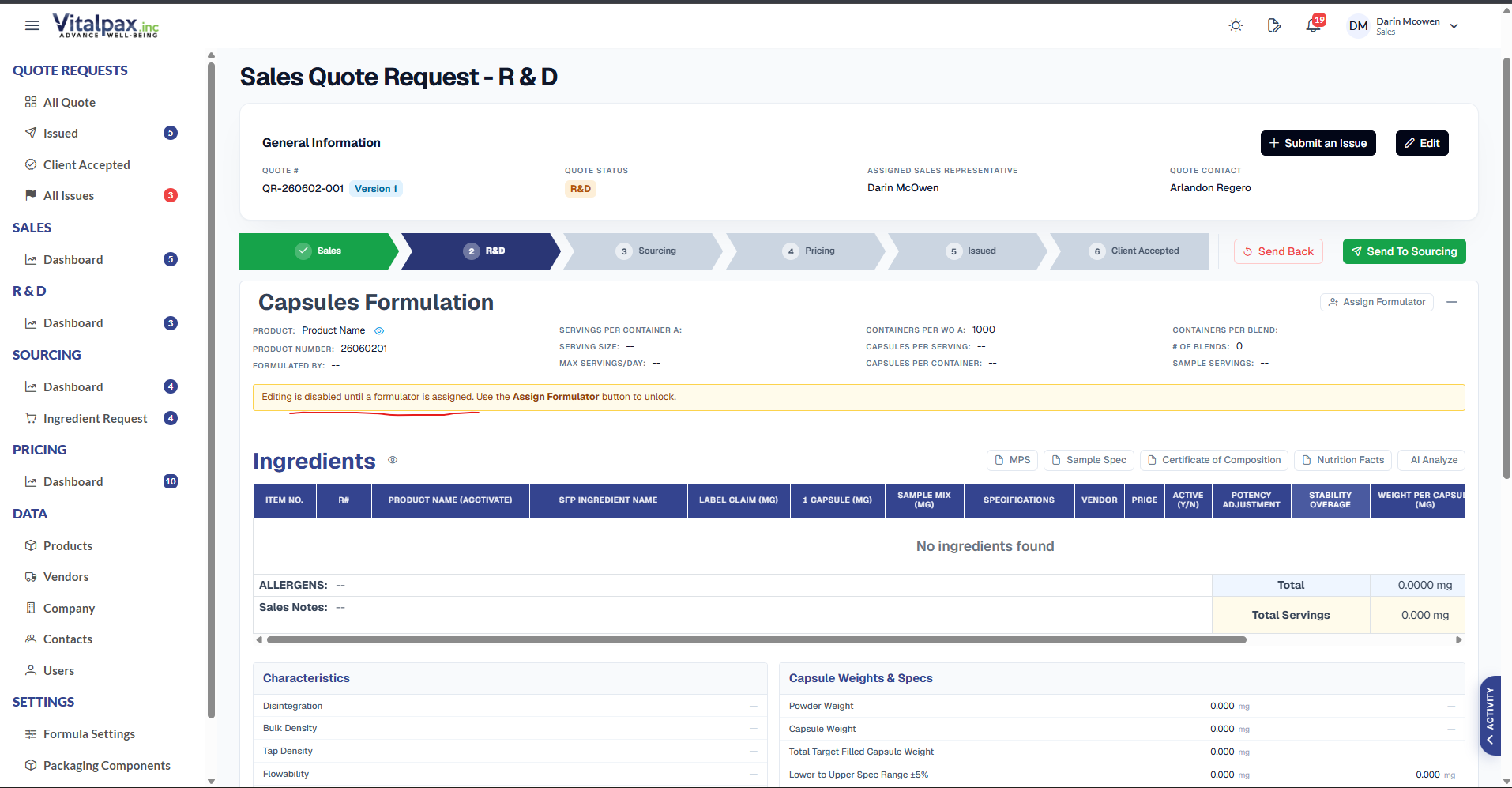
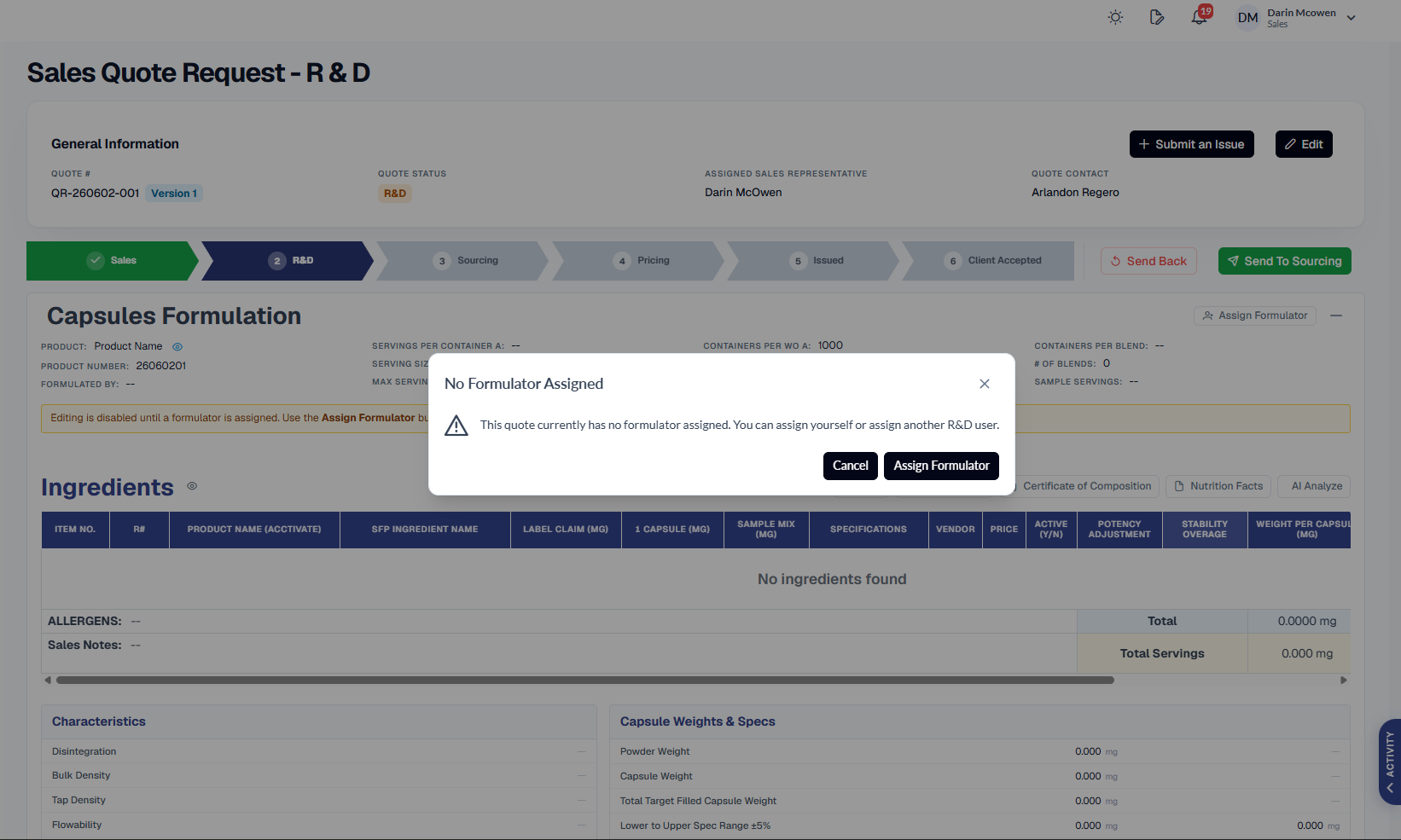
R&D Tab Formulator Guard
- No Formulator, No Edits -- R&D tab fields and the Submit for Review action are now locked until a formulator is assigned to the quote request.
- Clear In-Place Prompt -- An inline banner explains editing is disabled and points users straight to the Assign Formulator button.
- Assign or Self-Assign -- A guard dialog lets the user assign themselves or pick another R&D user before any work can move forward.
- Always Attributed -- Ensures R&D work is properly owned and stops incomplete, unassigned submissions from advancing in the workflow.
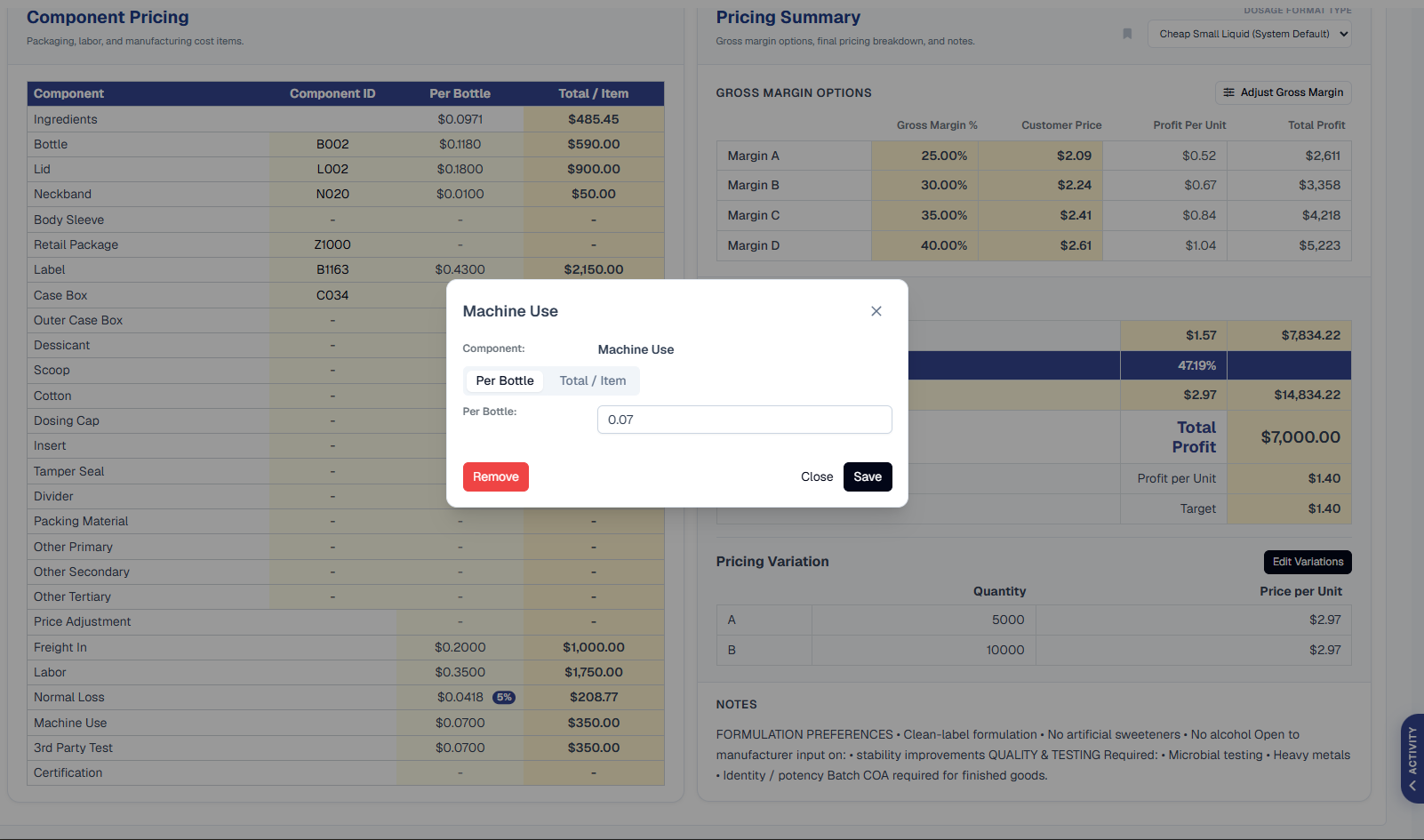
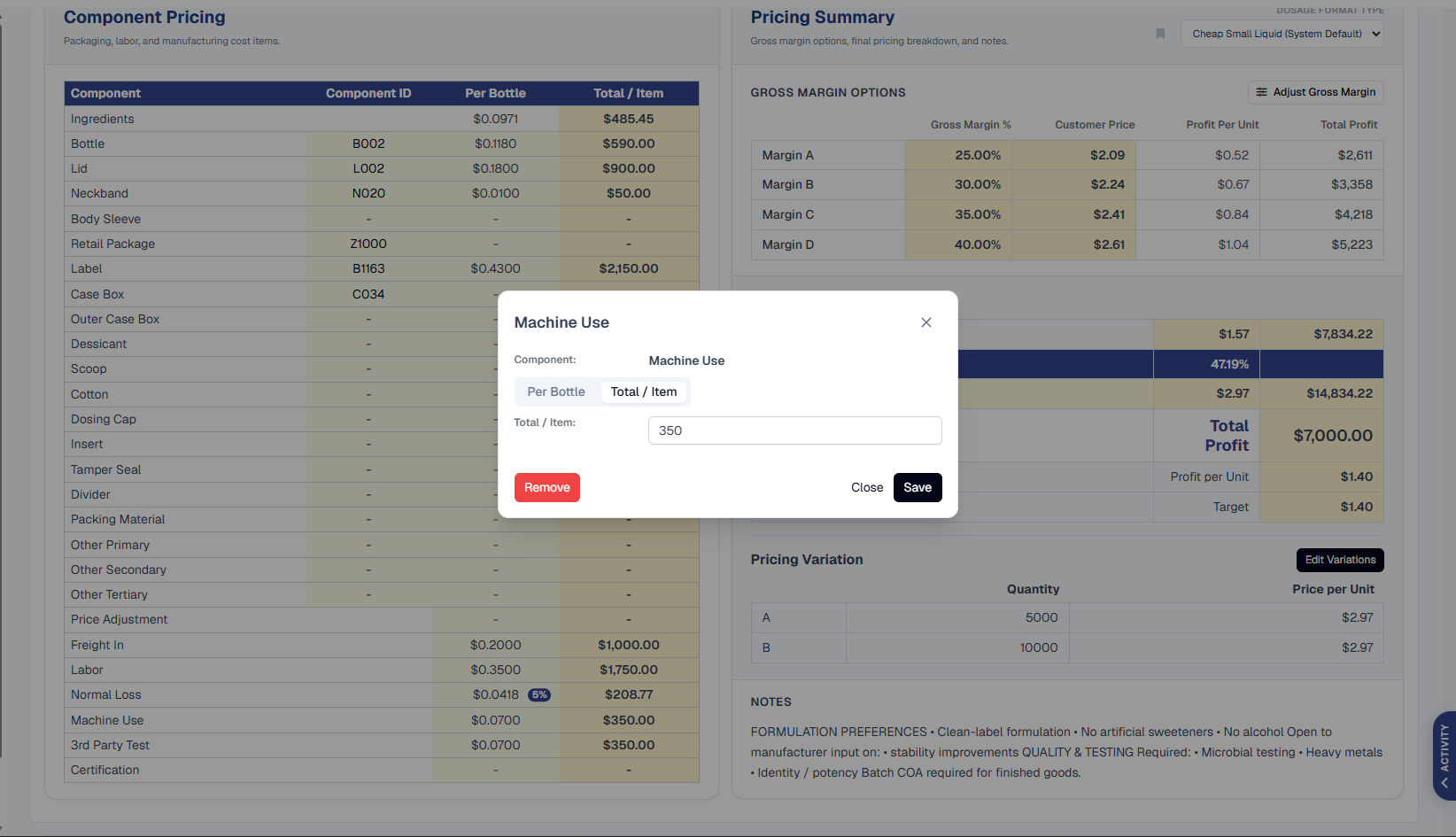
Per Bottle & Total-per-Item Pricing Modes
- Two Input Modes -- Product component cost fields on the Pricing tab now offer a Per Bottle mode and a Total / Item mode, toggled right inside each component editor.
- Across Every Cost Field -- Applies to Price Adjustment, Freight In, Labor, Normal Loss, Machine Use, 3rd Party Test, and Certification.
- Pricing-Team Flexibility -- The team can enter and view component values in whichever method fits the quote without re-doing the math by hand.
- Consistent Representation -- Both modes feed the same Component Pricing and Pricing Summary tables, keeping cost figures accurate either way.
Editable Source & Pricing in Pricing Status
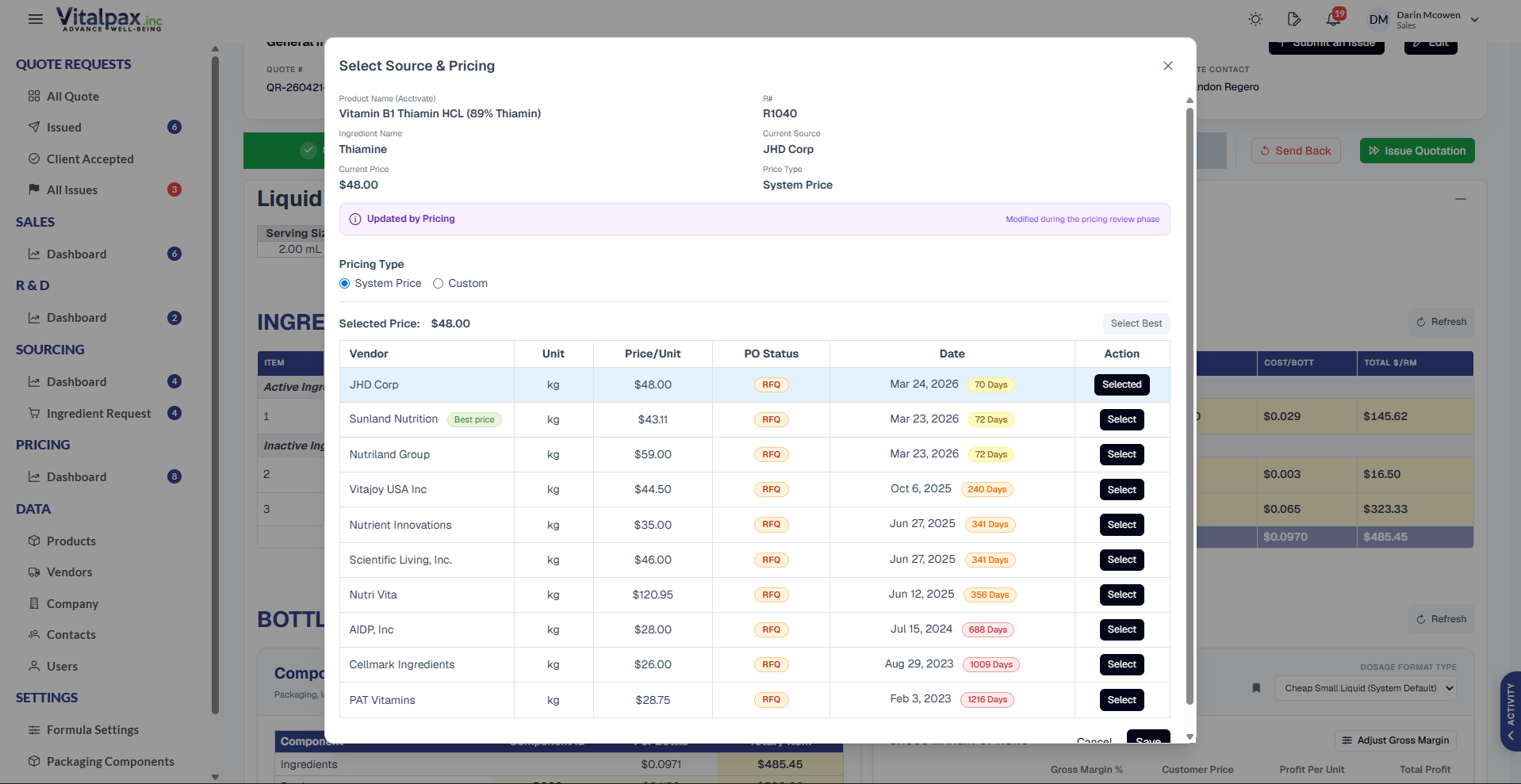
- Edit Right on Pricing Tab -- Source and pricing fields are now directly editable so the pricing team can update an ingredient's source and its associated price.
- System or Custom Price -- Each ingredient can use the System Price or a manually entered Custom price, selected from the source list inline.
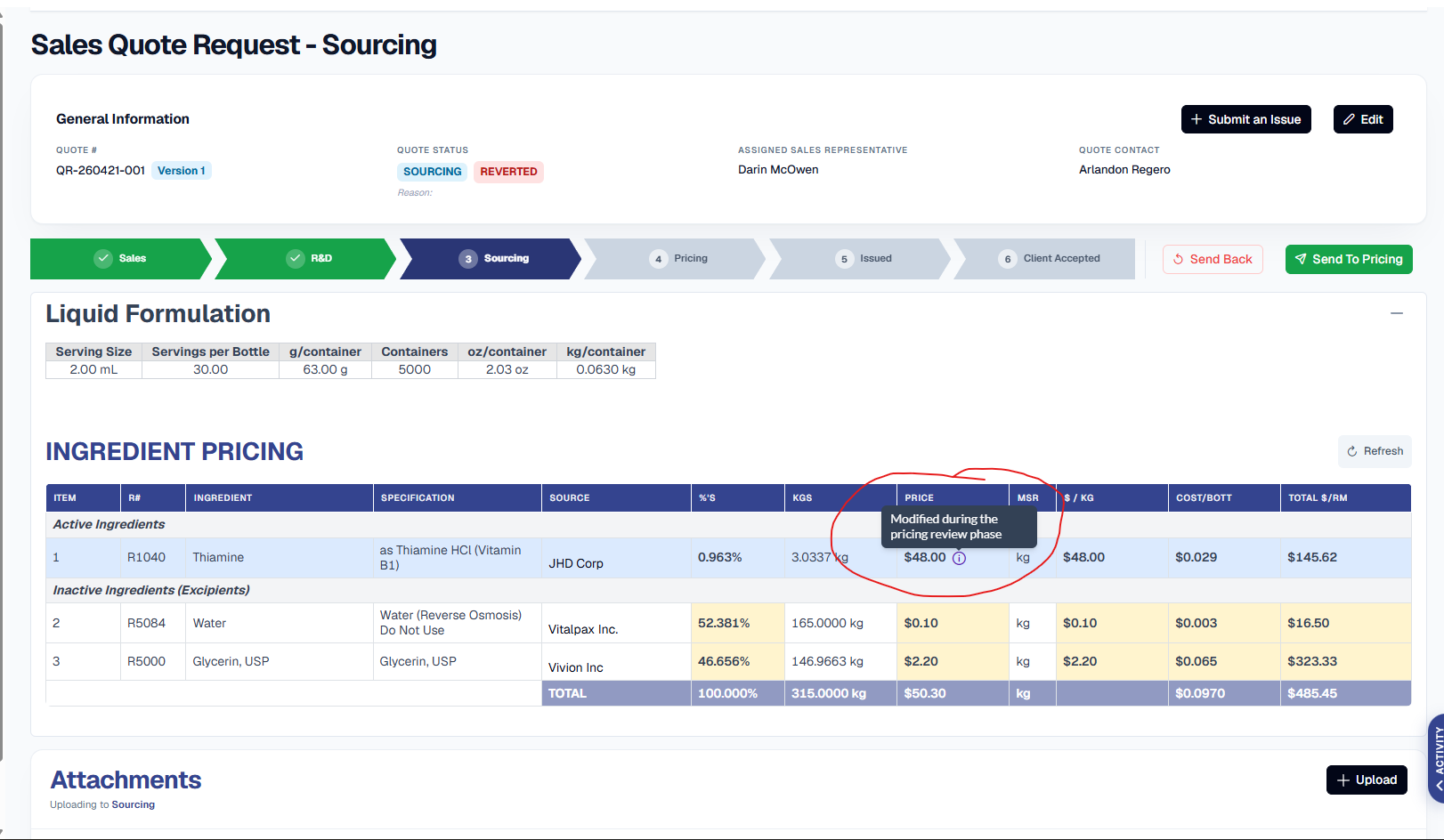
- Visual Manual-Edit Flag -- Any ingredient whose price was manually changed during Pricing is flagged with an indicator in the ingredient table.
- Flag Persists to Sourcing -- The Modified-during-pricing flag stays visible even when the quote is sent back to Sourcing status, giving full visibility of manual adjustments.
Potency, Quantity & Trademarked Columns
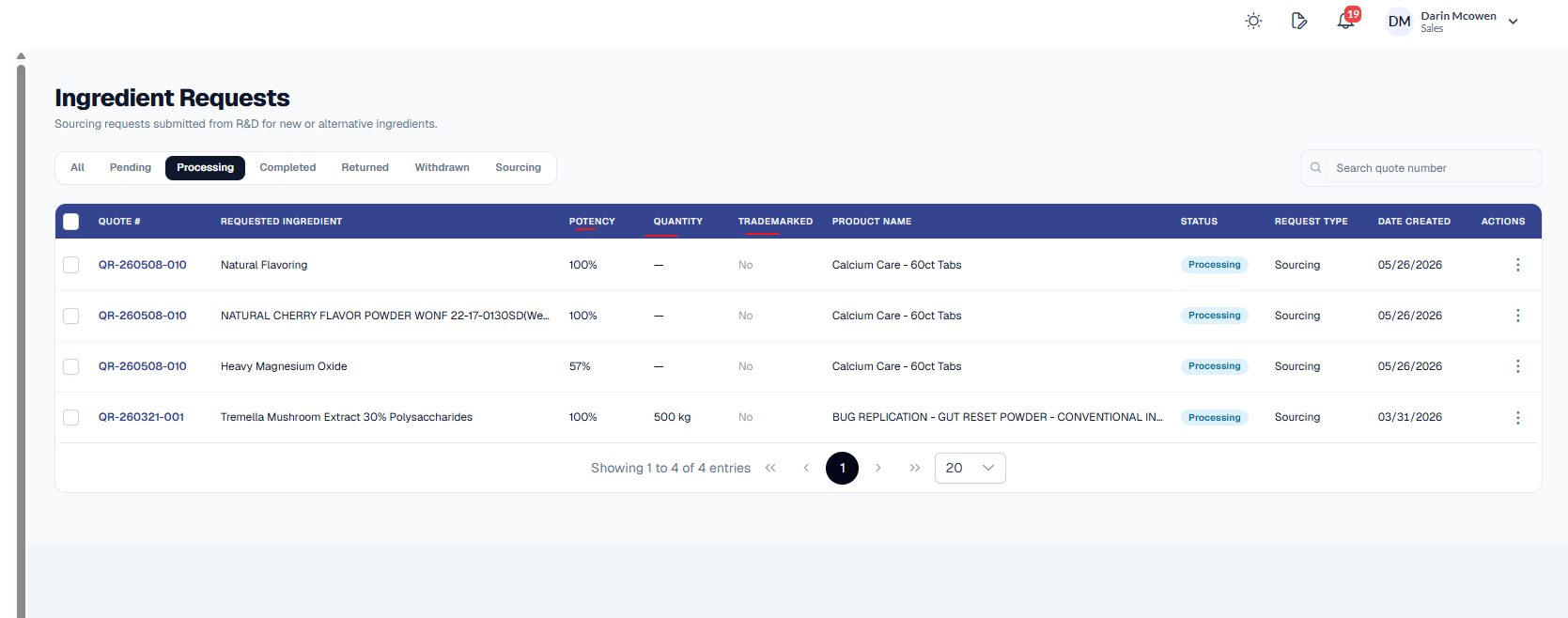
- Three New List Columns -- The Ingredient Requests list now shows Potency, Quantity, and Trademarked columns directly in the table.
- Sourcing Sees It at a Glance -- Key ingredient-request details are visible without opening each request individually.
- Faster Triage -- Sourcing can scan potency and quantity across the whole list to prioritize and group work more efficiently.
Dosage Type Filter
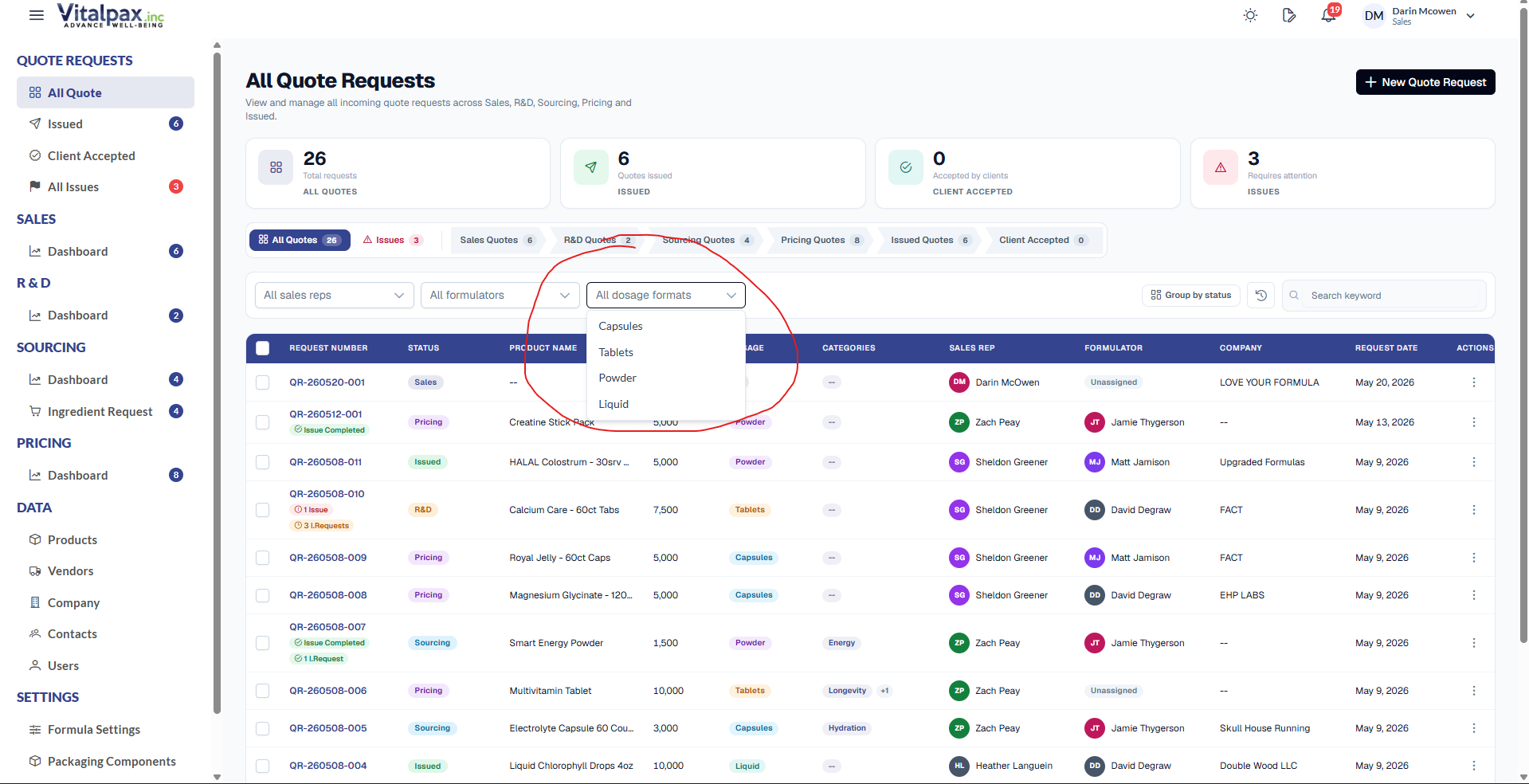
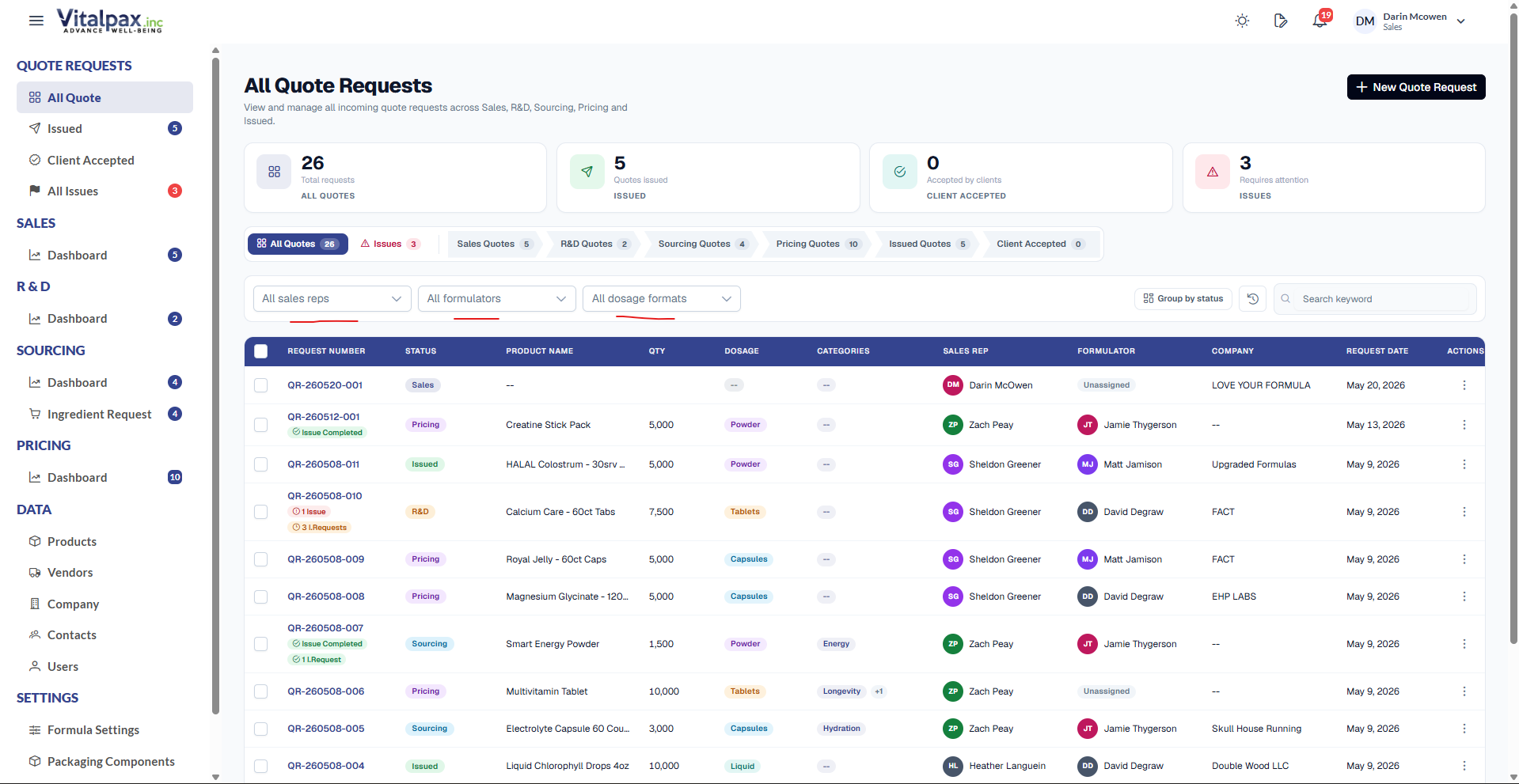
- Filter by Dosage Format -- A new Dosage Type filter on the listing screens lets users narrow quote requests by format - capsule, tablet, powder, liquid, and more.
- Quick Dropdown Access -- The All Dosage Formats dropdown sits in the filter row next to sales rep and formulation filters for fast switching.
- Sharper List Views -- Combines with existing filters so teams can isolate exactly the set of quotes or formulations they need.
UI / UX
Clearer default filter labels on the All Quote Requests screen.
Clearer Default Filter Labels
- Descriptive Defaults -- Default filter labels on the All Quote Requests screen were rewritten to be clearer and more descriptive of the active filter state.
- Less Confusion -- Users can now tell at a glance whether results are unfiltered or partially filtered, instead of guessing from a generic label.
- Consistent Across Filters -- The status pills and the sales rep, formulation, and dosage dropdowns all read consistently.
Bug Fixes
Restored R# lookups and a corrected price, accurate counters, a fixed entries dropdown, and working issued-quote email.
Missing R# Entries & Corrected R4464 Price
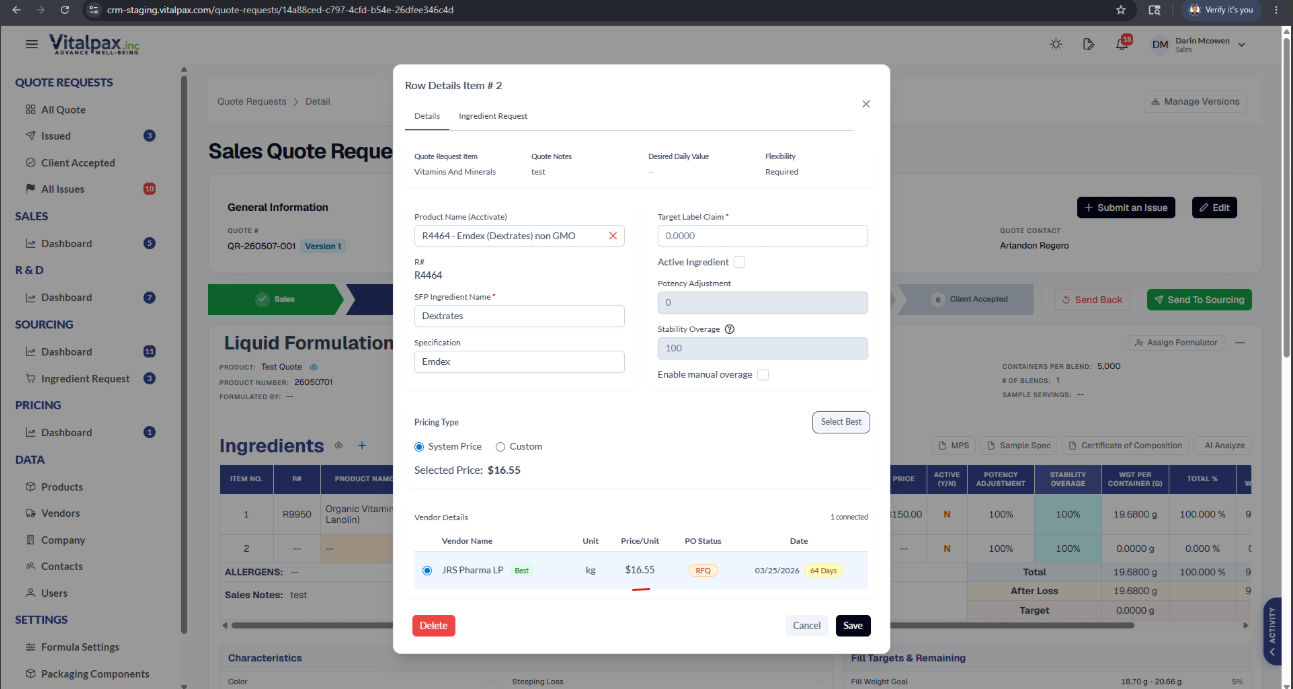
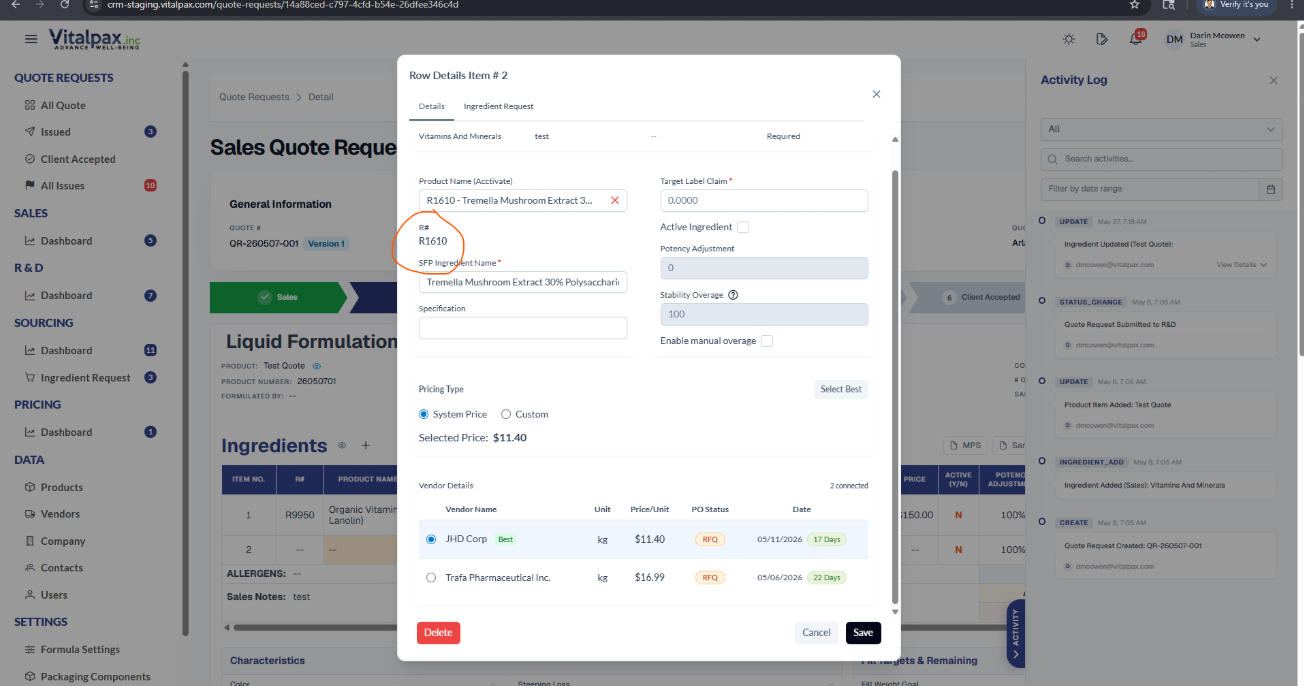
- R8547 & R1610 Restored -- Both R# entries were missing from the Search Product Name (Acctivate) lookup on the R&D tab and are now correctly searchable and selectable.
- R4464 Price Corrected -- A significant Price / Unit discrepancy for R4464 was resolved by syncing the accurate value from Acctivate.
- Accurate Quote Costing -- The mismatch that was throwing off quote costing for R4464 is gone, so pricing now reflects true unit cost.
Issues Counter Excludes Archived Quotes
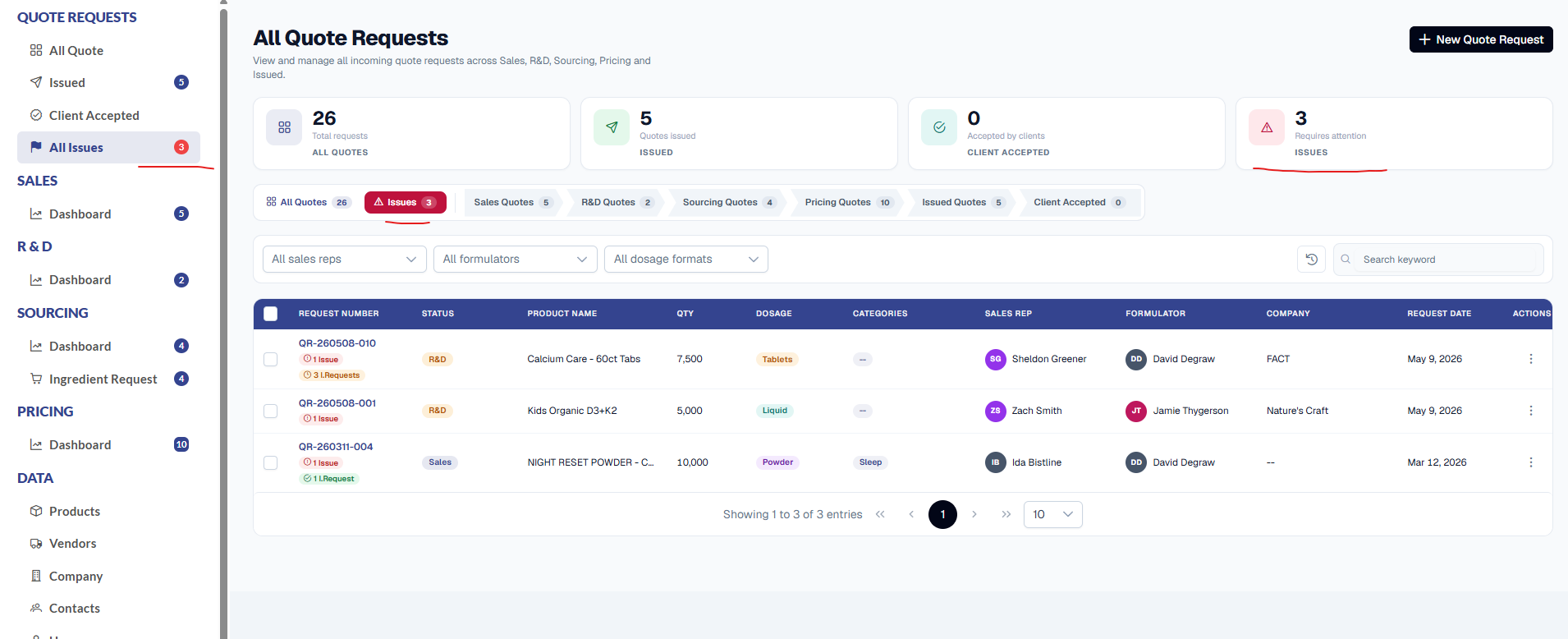
- Active-Only Count -- The Issues counter on the Quote Requests screen now reflects only active quotes.
- Archived No Longer Inflate It -- It was previously including archived quotes in the count, overstating how many issues actually needed attention.
- Matches the List -- The counter now agrees with the number of rows shown in the Issues tab.
Show X Entries Dropdown Fixed
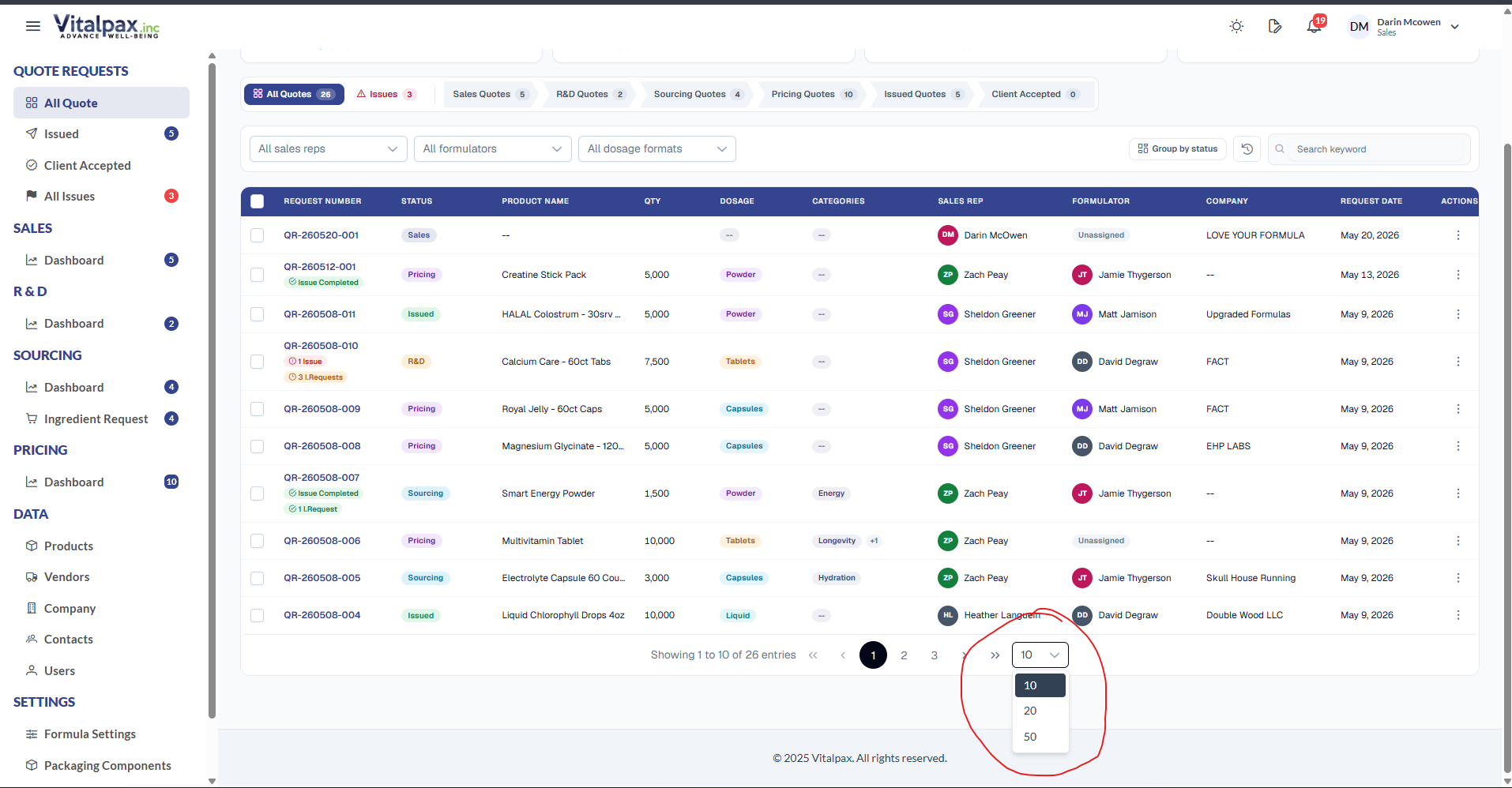
- No Longer Clipped -- The 'Show X Entries' dropdown on list screens was rendering underneath an overlapping div, leaving it clipped and incomplete.
- Renders Above Everything -- It now layers correctly above surrounding elements so all pagination options are fully visible and selectable.
- Scroll Wheel Works -- Users can also use the scroll wheel to browse and pick their preferred entries-per-page value.
Ingredient Request Counter Update
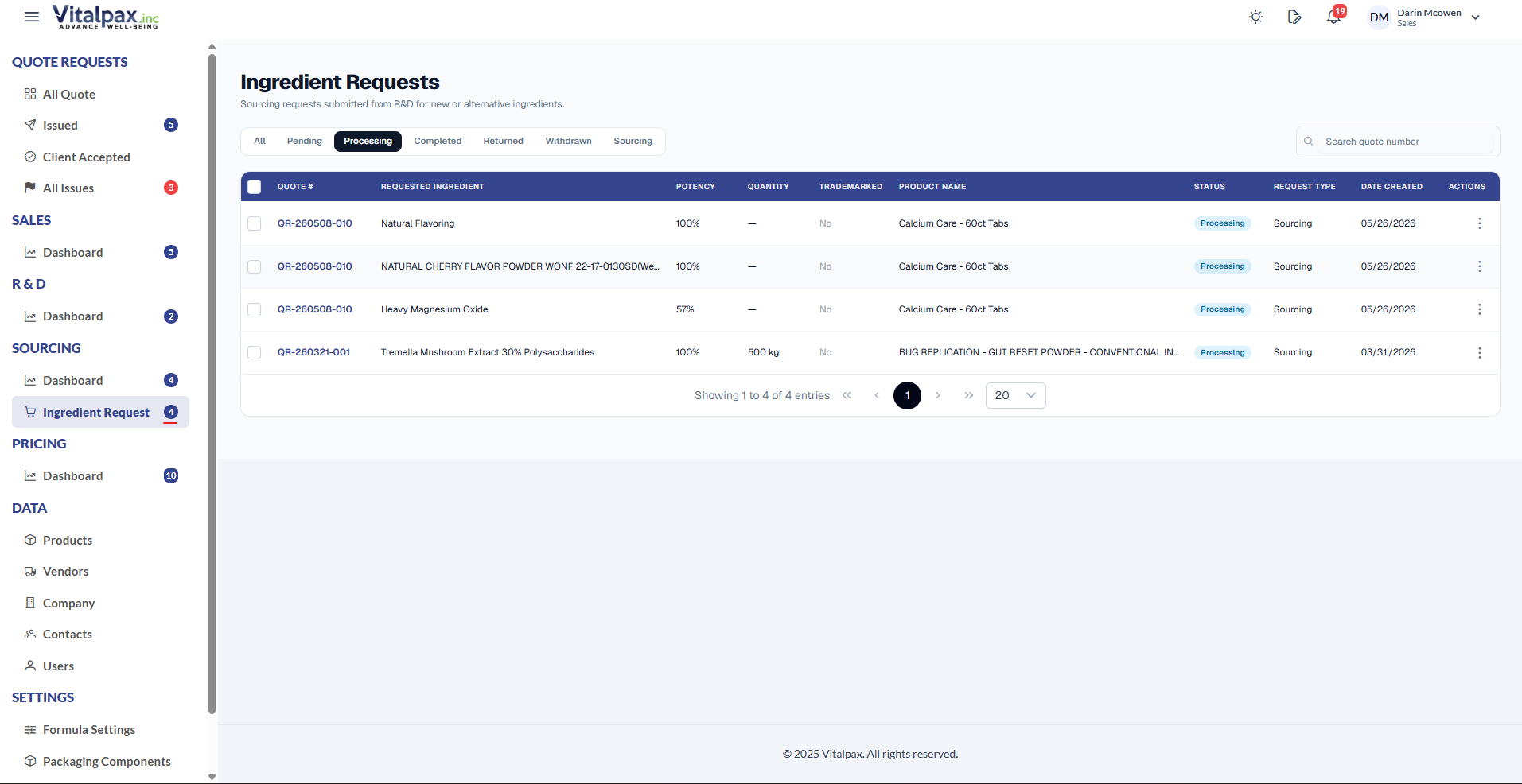
- Counts Pending + Processing -- The Ingredient Request counter in the side navigation now includes both pending and processing requests.
- No More Underreporting -- Previously only one status was reflected, so the counter undercounted active requests.
- Tracks All In-Progress -- It now accurately tracks every in-progress ingredient request linked to a quote.
Issued Quotes Email Sender Fix
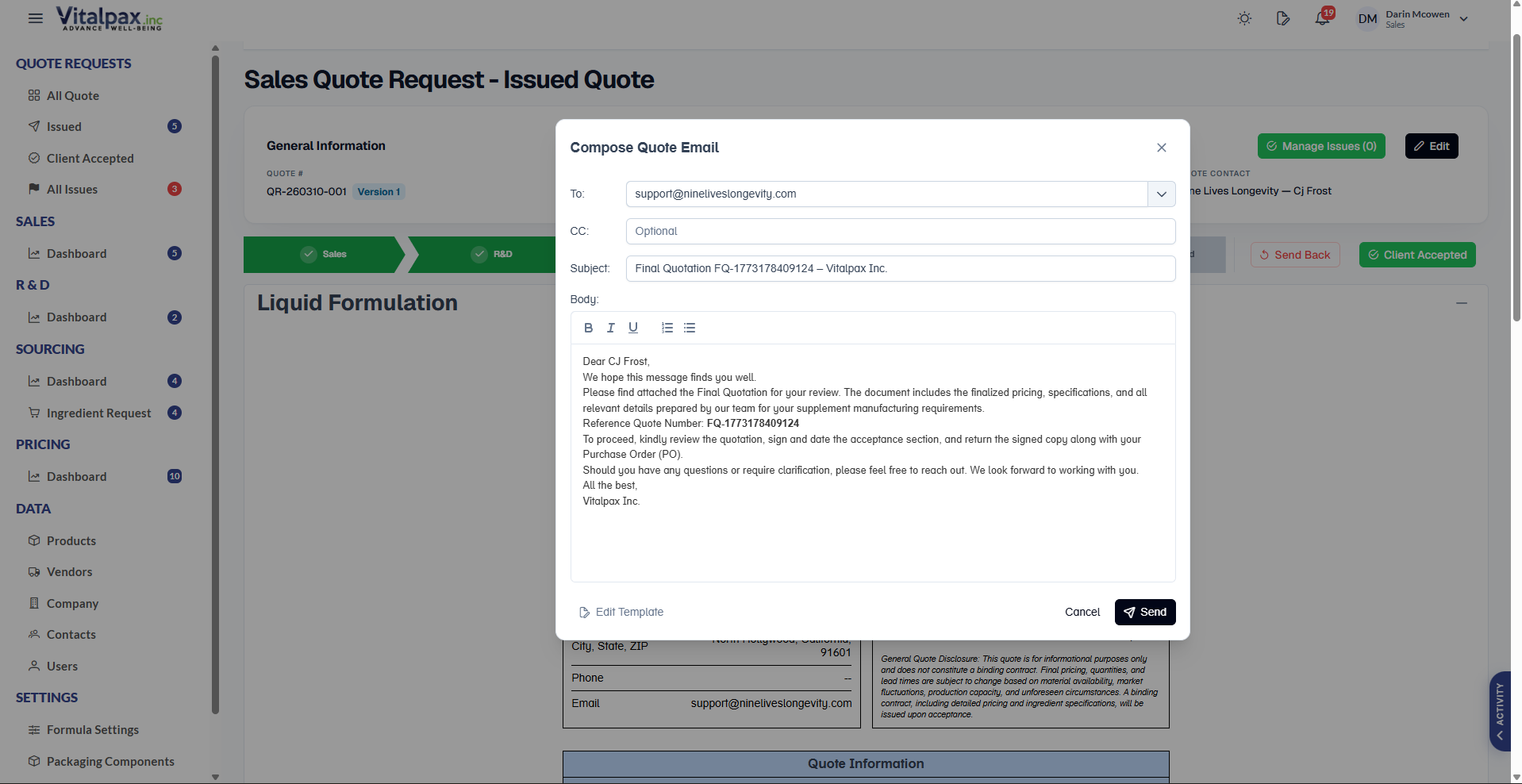
- Send Email Works Again -- The Send Email feature on issued quotes was not working and now opens a compose window on click.
- Pre-Filled & Professional -- The window is pre-filled with the recipient email, subject line, and a professional body containing the quote details.
- Review, Edit, Send -- Users can review and edit the message, then hit Send to deliver the final quotation PDF directly to the client.
What We Shipped
Pricing gains flexible cost modes and editable source pricing, R&D enforces formulator assignment, list views get new columns and a dosage filter, and five fixes tighten counters, dropdowns, lookups, and issued-quote email.